
RealCS — CS 1.6 WebSite
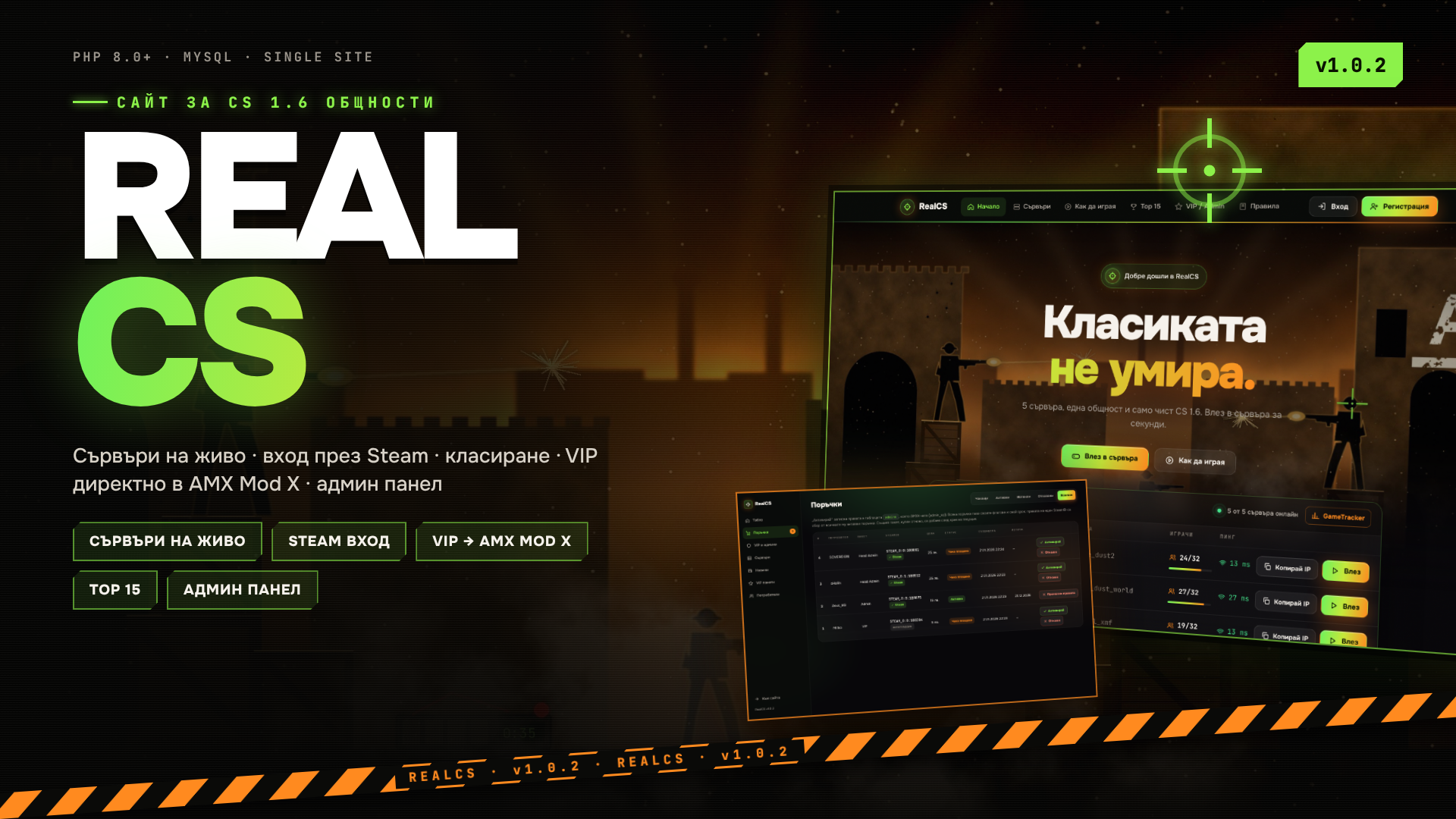
A ready-made website for CS 1.6 communities. It has live server status, accounts with Steam-verified SteamIDs, rankings, VIP/Admin orders written to AMXX admin_sql, and a full admin panel.
Product Video
Product Information
Overview+
Live Demo: https://livedemo-realcs.netlify.app/
Each package keeps its own flags and its own term: different packages run in parallel, each from the day it is activated, while buying the same package again extends it after the current term ends. A player's rights are the combined flags of all their active orders, and they are recalculated when an order expires or is revoked; a cron script removes expired rights.
Features+
• Live Find Servers list: map, players, ping, filters, copy IP, a connect button and a GameTracker banner for each server. It auto-refreshes every 30 seconds, with caching.
• Accounts: register and log in from a pop-up window, or sign in with Steam (OpenID).
• SteamID verification: only Steam sign-in verifies a SteamID; one typed in by hand is clearly marked as unverified.
• Player profile: avatar (up to 2 MB), banner (up to 5 MB), stats, orders and settings.
• VIP/Admin packages: AMXX flags, price, duration and a list of perks.
• Orders: approve, reject, revoke or delete. Approving again extends the term automatically.
• Server rights: written to the AMXX admin_sql-compatible admins table. You can also grant rights by hand, including permanent ones.
• Expiry: cron/expire.php removes expired rights.
• Rankings: a Top 15 with a podium on the homepage, plus full per-server rankings with search and pages.
• News: categories and drafts.
• Admin panel: dashboard, servers, news, VIP packages, orders, rights and users.
• Security:
• passwords stored with password_hash, minimum 8 characters;
• CSRF protection on every form;
• login attempt limits;
• uploaded images checked by their content;
• scripts blocked from running in uploads/.
• One-time setup.php: creates the first administrator and is protected by a key.
• Responsive design: desktop, tablet and phone. Colors change in one place, the :root block of the CSS.
Requirements & Dependencies+
• PHP 8.0+ with pdo_mysql, mbstring and openssl
• MySQL 5.7+ or MariaDB 10.3+
• Apache (.htaccess files included) or Nginx (rules are in README)
• allow_url_fopen = On (for Steam sign-in)
• file_uploads = On and upload_max_filesize of at least 5M
• Hosting that allows outbound UDP to your game server ports (for server status)
• Optional: cron access and a Steam Web API key
• External services: GameTracker banners, Steam OpenID
What Files Do I Get?+
43 files in the RealCS/ folder, each one described in README.md:
• Root:
• index.php, news.php, ranks.php, profile.php, buy.php, setup.php
• config.sample.php, install.sql, .htaccess, README.md, LICENSE.txt
• admin/: _inc.php, index.php, servers.php, news.php, vip.php, orders.php, admins.php, users.php
• auth/: login.php, register.php, logout.php, steam.php
• api/: servers.php
• inc/:
• bootstrap.php, layout.php, query.php, steam.php, icons.php, .htaccess
• partials/: header.php, footer.php, modal.php, home_hero.php, home_mid.php, home_end.php
• assets/: css/style.css, js/app.js
• cron/: expire.php, .htaccess
• uploads/: .htaccess
• licenses/: OFL-Onest.txt, OFL-JetBrainsMono.txt
How To Install?+
1. Upload the contents of RealCS/ to your site's root folder.
2. Create a MySQL database and import install.sql.
3. Copy config.sample.php to config.php. Fill in the database details, site_url (no trailing /), the site name and your links.
4. In config.php, set setup_key to a random string of at least 16 characters.
5. Make uploads/ writable by PHP (755, or 775 if uploads fail).
6. Open /setup.php, enter the key and create the administrator account. Then delete setup.php.
7. In Admin → Servers, replace the sample servers with your own.
8. In Admin → VIP packages, set your own packages and prices.
9. Optional: add a cron job: 0 * * * * php /path/to/site/cron/expire.php
Documentation+
Everything is in README.md:
• what each file does;
• requirements and installation;
• how to use each admin panel section;
• connecting your game server through sql.cfg with amx_sql_table "admins";
• the player_stats table format for your stats plugin;
• how SteamID verification and Steam sign-in work;
• where to change the site's texts and colors;
• Nginx security rules.
License Information+
Single Site. Copyright (C) 2026 SOVEREIGN. The terms are in section 10 of the store's Terms of Service.
• Third-party components keep their own licenses, included in licenses/:
• Onest font — SIL Open Font License 1.1
• JetBrains Mono font — SIL Open Font License 1.1
Important Details
This is the web part only. No AMXX plugin is included. For rankings you need your own stats plugin that writes to player_stats; until then the site shows "No stats yet".
• The site's interface is in Bulgarian. You change the texts in inc/partials/ and config.php.
• Payments are manual: buyers see your payment instructions from config.php, and you approve each order in the admin panel. No payment gateway is included.
• setup.php stops working once an administrator exists, but you should still delete it after installation.
• Steam sign-in needs a correct site_url on a real domain.
• Server status needs your host to allow outbound UDP; some shared hosts block it.
• No game files, logs, sample images or real keys are included. config.php is created by you from config.sample.php.