
CODRAW — Digital Store Website
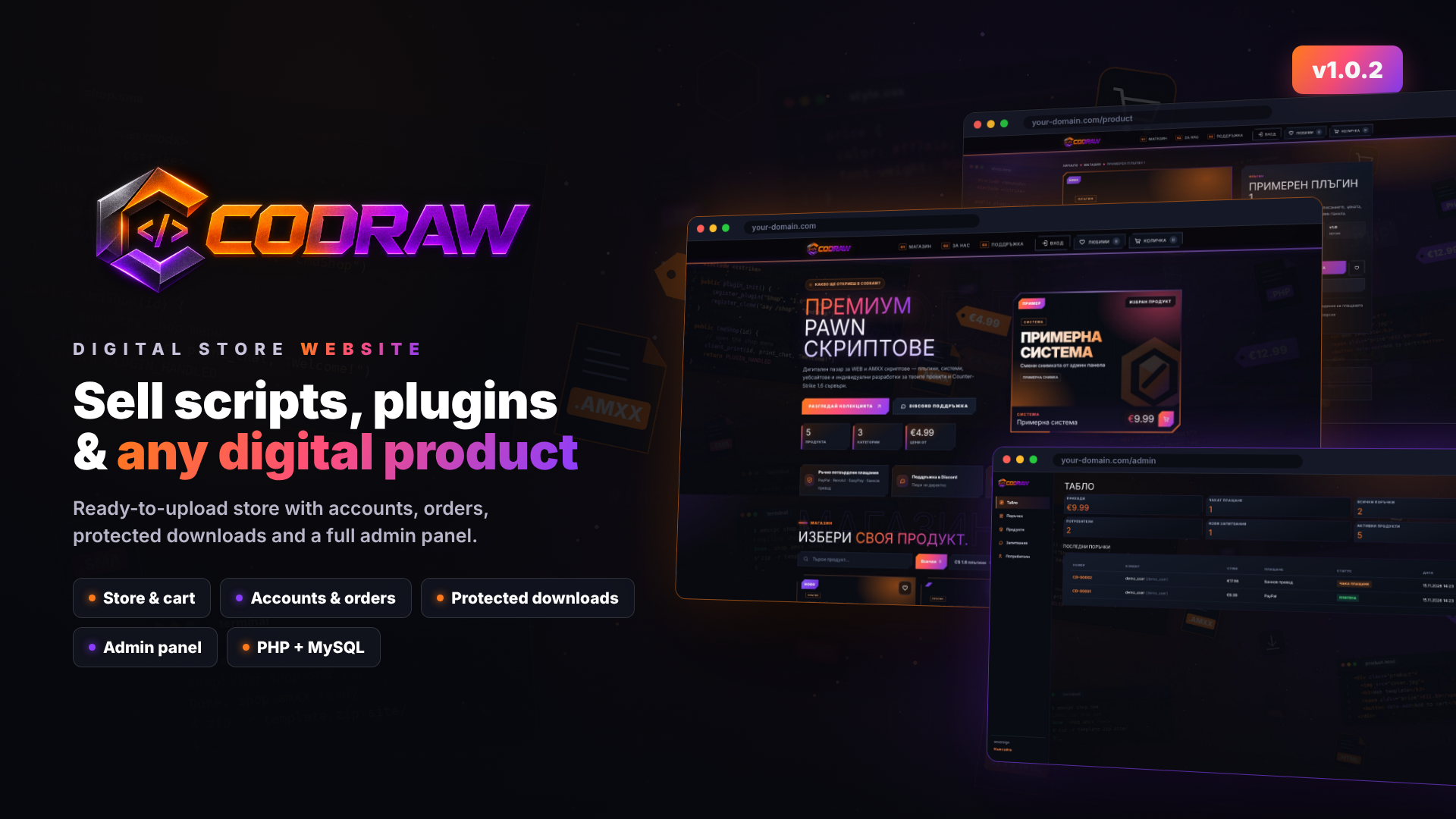
A ready-made digital store website for selling any downloadable product: accounts, cart, orders, protected downloads and an admin panel (PHP + MySQL).
Product Video
Product Information
Overview+
Live Demo: https://demo-codraw.netlify.app/
CODRAW is a complete, ready-to-upload website for a digital store. You can sell any kind of downloadable product with it: scripts, plugins, templates, graphics, e-books, presets or anything else delivered as a file.
It has a dark orange-purple design and 11 pages, with a full PHP + MySQL backend behind them. Customers browse the store, add products to the cart, register and place orders. You confirm the payment from the admin panel, and the "Download" button then appears in the customer's account. Files are never public: every download is checked against a paid order.
The admin panel covers products, orders, custom requests and users. You don't need to edit any code to run the store.
The payment methods shown at checkout are set in config.php (default: PayPal, Revolut, EasyPay and bank transfer). Payments are confirmed manually, and the site has no built-in online card processing. The site interface is in Bulgarian.
Features+
• 11 pages: home and store, product, checkout, account, login, registration, password reset, custom order, FAQ, terms, 404
• Store search, category filters and sorting by price
• Cart and favourites kept across all pages
• Product pages with image, price, "Buy now", description, what's included, requirements and versions
• Customer accounts: registration, login, "Remember me", password reset by e-mail, profile editing
• Orders saved in the database, with an e-mail to the customer and to the admin
• Protected downloads, available only after the order is marked as paid
• Payment methods configurable in config.php
• Admin panel:
• dashboard with revenue, pending payments and recent orders
• orders with status filters
• products with image, download file, features and versions
• custom requests
• users and roles
• Custom order request form
• Download and view counters for every product
• Security:
• bcrypt-hashed passwords
• CSRF protection
• login attempt limits
• prices checked on the server
• protected folders
• Responsive design for desktop, tablet and phone
• One-click installer that creates the database tables and the admin account
Requirements & Dependencies+
• PHP 8.1 or newer with the PDO, pdo_mysql and mbstring extensions
• MySQL 5.7+ or MariaDB 10.3+
• Apache 2.4, or Nginx (a ready config block is included in README.md)
• PHP mail() for order and password-reset e-mails
• Fonts: Russo One and Inter, loaded from Google Fonts (SIL Open Font License 1.1; licences in licenses/)
• No frameworks, no Composer, no Node.js
What Files Do I Get?+
One ZIP with a single codraw/ folder:
• 11 HTML pages
• admin/: the admin panel
• api/: 13 PHP backend endpoints
• inc/: core files and the database schema
• install.php: one-time installer
• config.php: settings for the database, site URL, e-mails and payment methods
• assets/: styles, scripts, logo, payment icons and sample product images
• storage/ and .htaccess files that protect private folders
• favicons and site.webmanifest
• README.md: full documentation and a list of every file
• README.txt: a short guide to what each file does
• LICENSE.txt: the Single Site licence
• licenses/: the font licences
How To Install?+
1. Upload the contents of the codraw/ folder to your web root (for example public_html).
2. In your hosting control panel, create a MySQL database and a user with all privileges on it.
3. Open config.php and fill in the database details, site_url, mail_from and admin_email. Review the payments list.
4. On Nginx, add the config block from README.md to your server configuration.
5. Open https://your-domain/install.php and create the admin account.
6. Delete install.php from the server.
7. Log in at https://your-domain/admin/, replace the sample products with your own and upload a download file for each one.
Documentation+
All documentation is in README.md inside the package. It covers:
• requirements
• step-by-step installation
• the Nginx configuration block
• payment methods setup
• using the admin panel
• the order and download flow
• changing texts, logo, icons and colours (--grad and --red in assets/codraw.css)
• self-hosting the fonts
• a list of every file
README.txt gives a short explanation of what each file does and where it belongs.
License Information+
Single Site
Important Details
• Payments are confirmed manually from the admin panel. The site does not take card payments online.
• The store comes with five fictional sample products without download files. Replace or hide them before you start selling.
• The FAQ and terms are sample texts. Edit them for your store and have the terms reviewed by a lawyer.
• The contacts in the package are placeholders (support@example.com, https://discord.gg/your-invite). Change them to your own.
• The site interface is in Bulgarian.
• No game art, logos or third-party brand assets are included.
. • Licence: Single Site, for use on one website.